Precomputing Explained: Keep a Running Total Instead of Counting Again
A lot of software that collects data works like a shop owner with a shoebox. Every receipt goes in the box. When someone asks how much the shop sold today, she tips the box out and adds everything up, and if they ask again an hour later she does it all over again, with a bigger pile.
Precomputing works like a notepad next to the till. Each sale is added to a running total the moment it happens, so a question gets answered by reading one number. Now and then the box can be emptied. She keeps only the odd receipts (a huge refund, a sale at 3 a.m.) in case someone asks about them later.
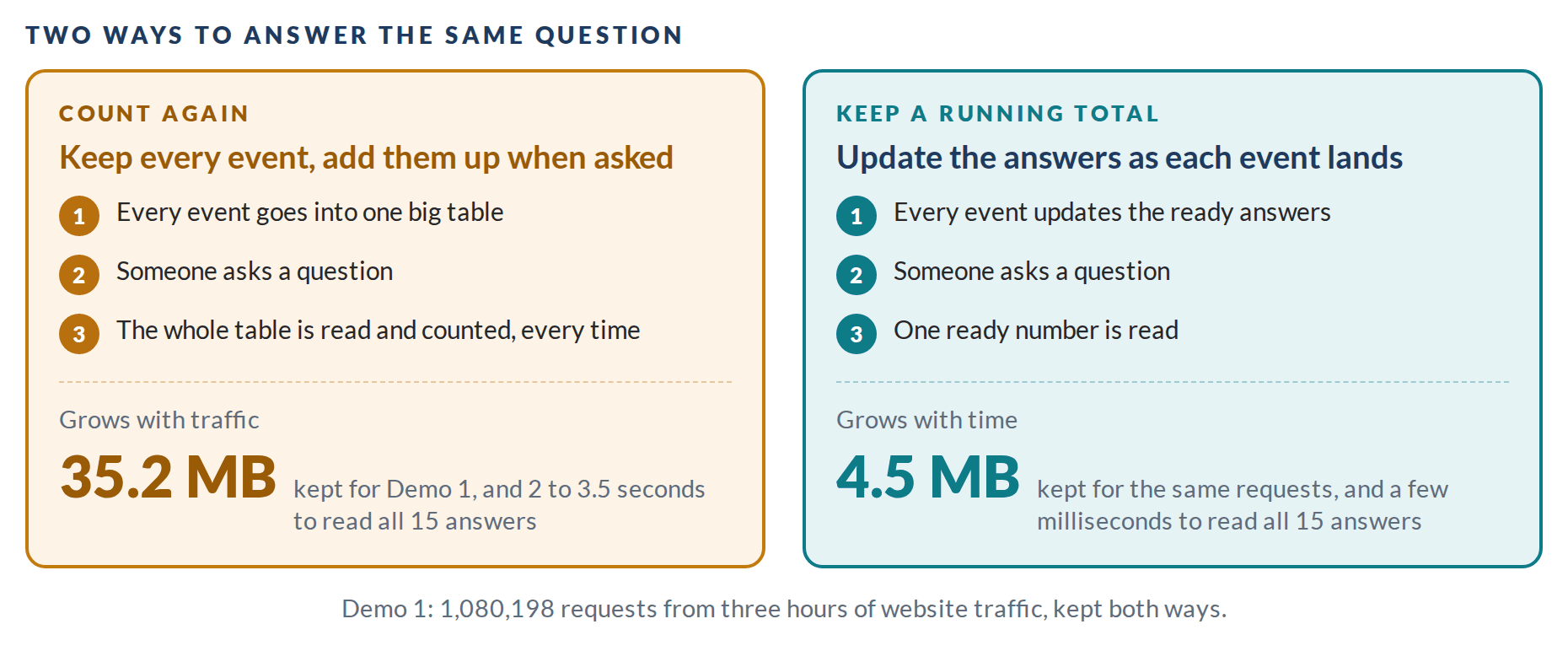
The same three hours of website traffic, kept both ways in Demo 1.
That’s the whole idea. The rest is how it works in practice.
Write Down the Questions First
Everything starts with a short text file called a policy. It says what data comes in and which answers you’ll want from it. For a website that could be: count the requests to each page, and know how slow the slowest 1% of them were (the p99). Here’s a cut-down version of the policy behind Demo 1:
stream latency {
  key    endpoint text
  value  ms real
  rollup 1m keep 30d quantiles ms
}

precompute p99_ms = p99(latency.ms) by endpoint
In plain words: each request arrives with a page name and how many milliseconds it took. Keep a summary of every minute for 30 days, and keep the p99 of each page ready at all times.
The Answers Live in One SQLite File
SQLite is the small database already built into every phone and every web browser. Precomputing turns the policy into ordinary SQLite, so the answers sit in a single file that any SQLite tool can open. Each piece of data goes in as one new row, and the file updates every answer on the spot. Reading an answer is then a lookup.
The file stays small because it keeps summaries. A one-minute summary takes the same room whether that minute had ten requests or ten thousand. In Demo 1, three hours of traffic (1,080,198 requests) take 35.2 MB kept whole and 4.5 MB kept as ready answers. Reading all 15 answers takes a few milliseconds from the ready answers, against 2 to 3.5 seconds from the full table.
Old Detail Fades, Odd Events Stay
You decide how long each level of detail lives. Demo 1 keeps every request for five minutes and hourly summaries for a year, with two sizes of summary in between. Older detail gets deleted on schedule; the answers stay.
Anything unusual is kept whole, however old it gets: a request that took ten times longer than normal, say, or a price that jumped 8% in one trade. The file stays small, and the events worth a second look are still there.
Is It a Dashboard?
A dashboard is the screen that shows the numbers. Precomputing is the part behind it that keeps those numbers ready, so the screen never has to go back and count. The demos draw dashboards because that’s the easiest way to watch it work.
Four Ways to Use It
- Plain SQL. The policy runs inside SQLite itself. Nothing extra to install.
- The Engine. A small Go program that runs the same policy 12 to 17 times faster and writes the same file. If it crashes, nothing it confirmed is lost.
- The Meter. Exact counting for billing. A request reported twice counts once, and a month that has closed stays closed.
- Logs. Keeps a company’s log lines on its own machines and sends the monitoring service only what the dashboards show.
Each one has a live demo that runs the real code in your browser, on made-up data, and checks its own answers at the end.